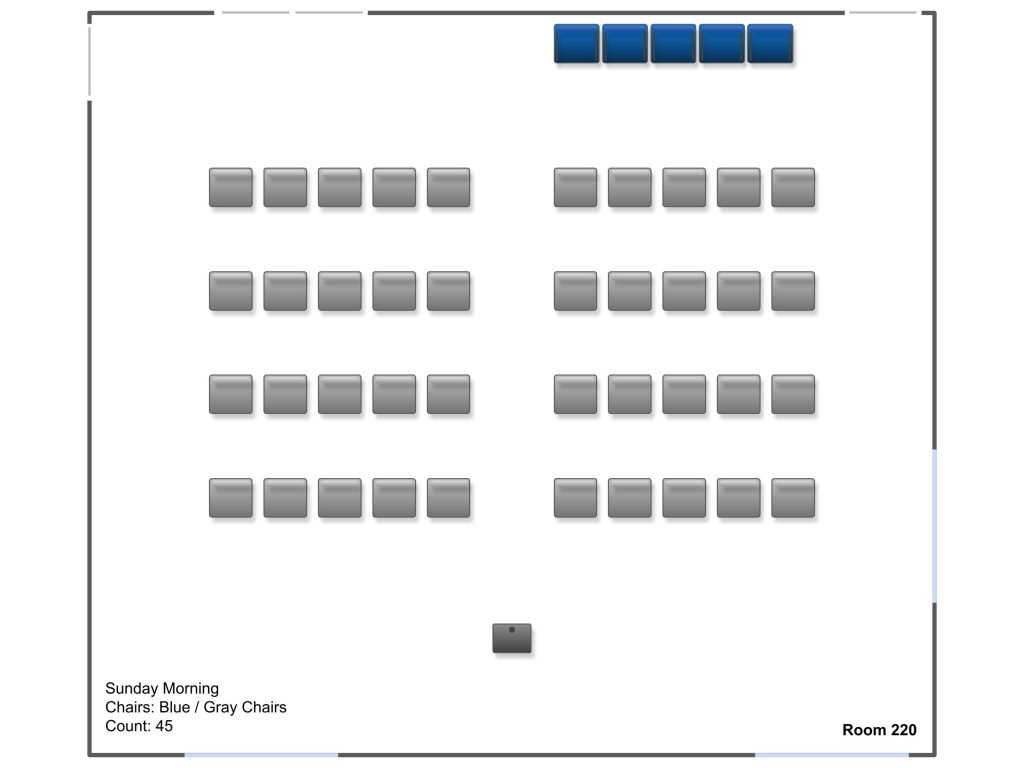
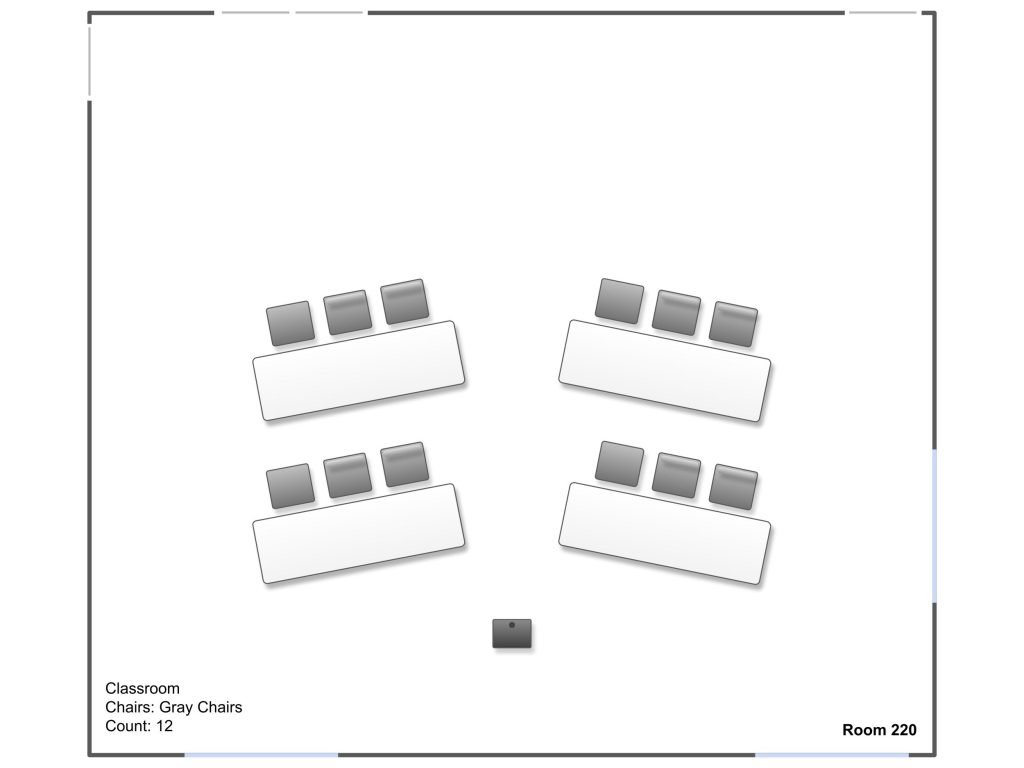
Please return the room to its previous or default setup when you are finished using the room. Scan the code below for additional resources and instructions.
Room/Resource Reservations
Need to make a reservation for this room? All reservations must be approved before using this room or resources.
Resources
Please refer to the ‘Default Layout’ to see what resources belong to this room. All other resources needed for your event/use should be approved when you make your initial reservation request. Please return all resources that do not belong to this room to their home location when you reset the room.